Skip to content
Masterly Masterly UA

For vocational schools

Gradebook, timetable and learning in one system

Masterly is built for vocational education: theory, vocational training and placements, subgroups, training masters and programmes under the new standard. Each school works on its own address with a separate database.

Open testing is under way: we are connecting several schools.

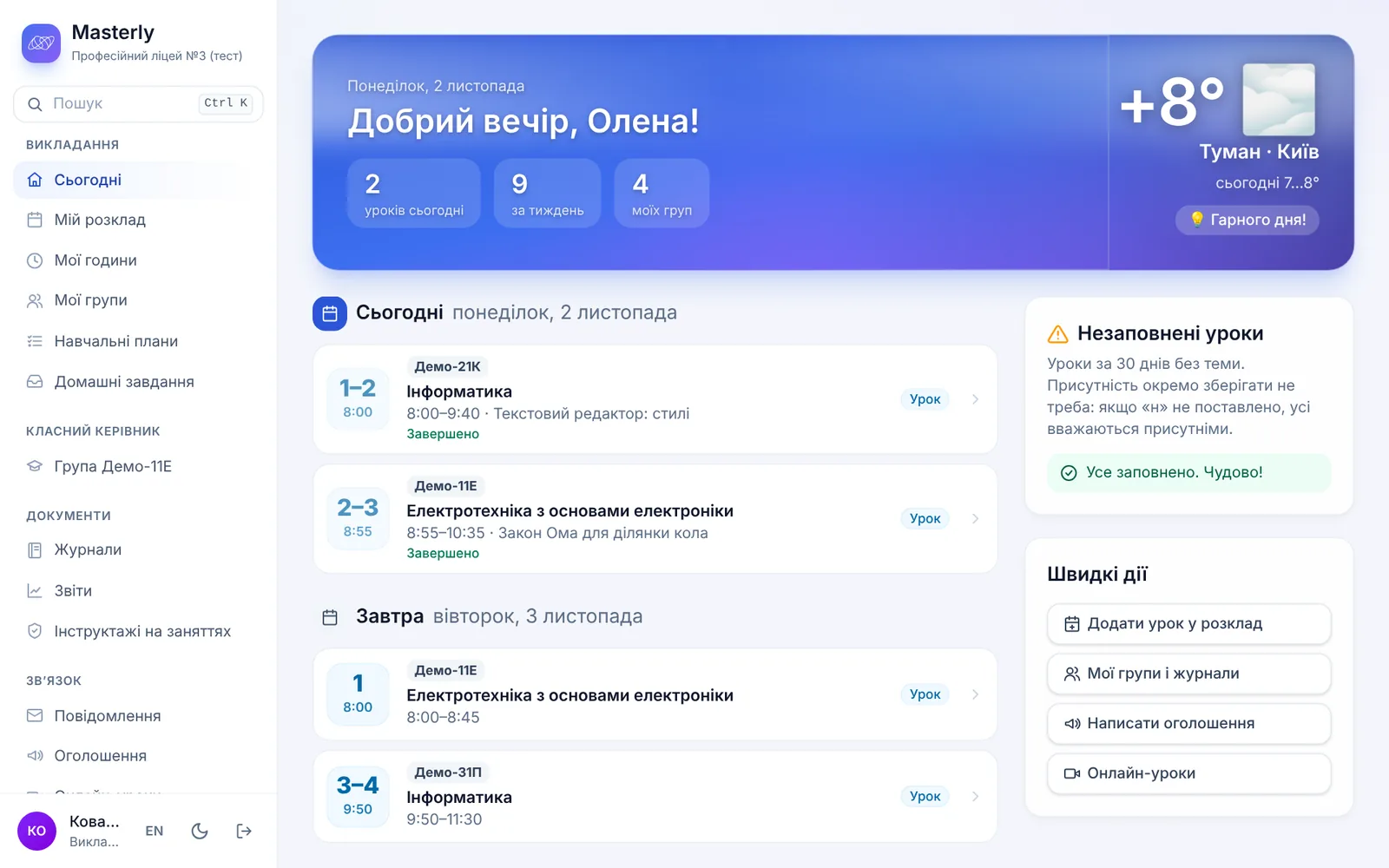
Teacher's Today page: the day's lessons, the next lesson and the weather
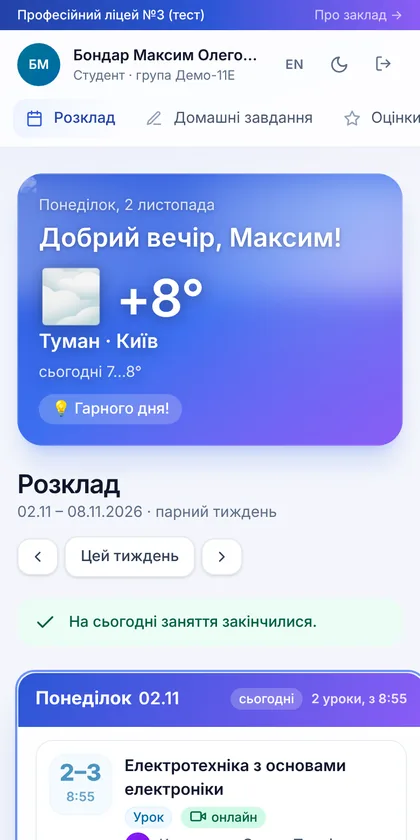
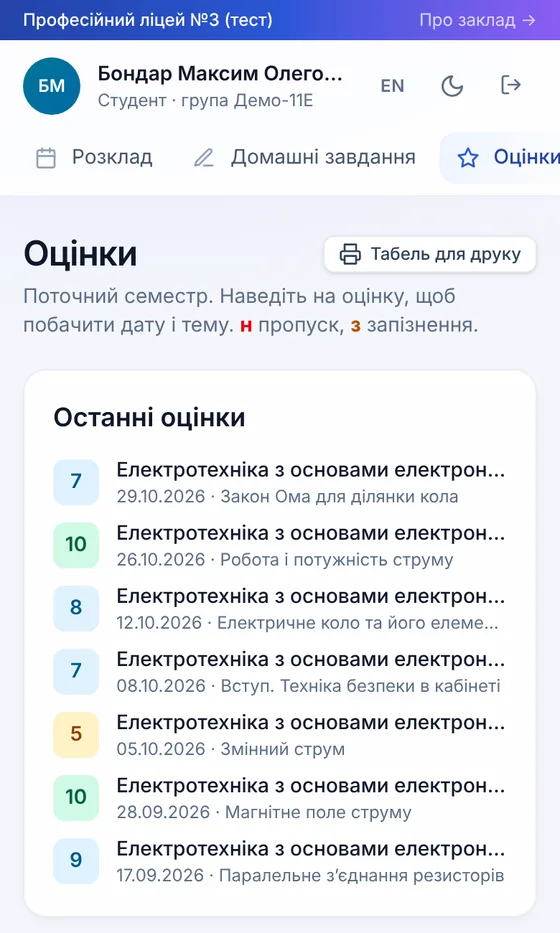
Student portal on a phone
schools
2
students
48
staff
7
lessons in 30 days
38
grades in 30 days
93

Everything a school works with every day

The administrator adds staff, groups and subjects, teachers keep the gradebook and timetable, and students and parents see it all on their phones.

Gradebook and grades

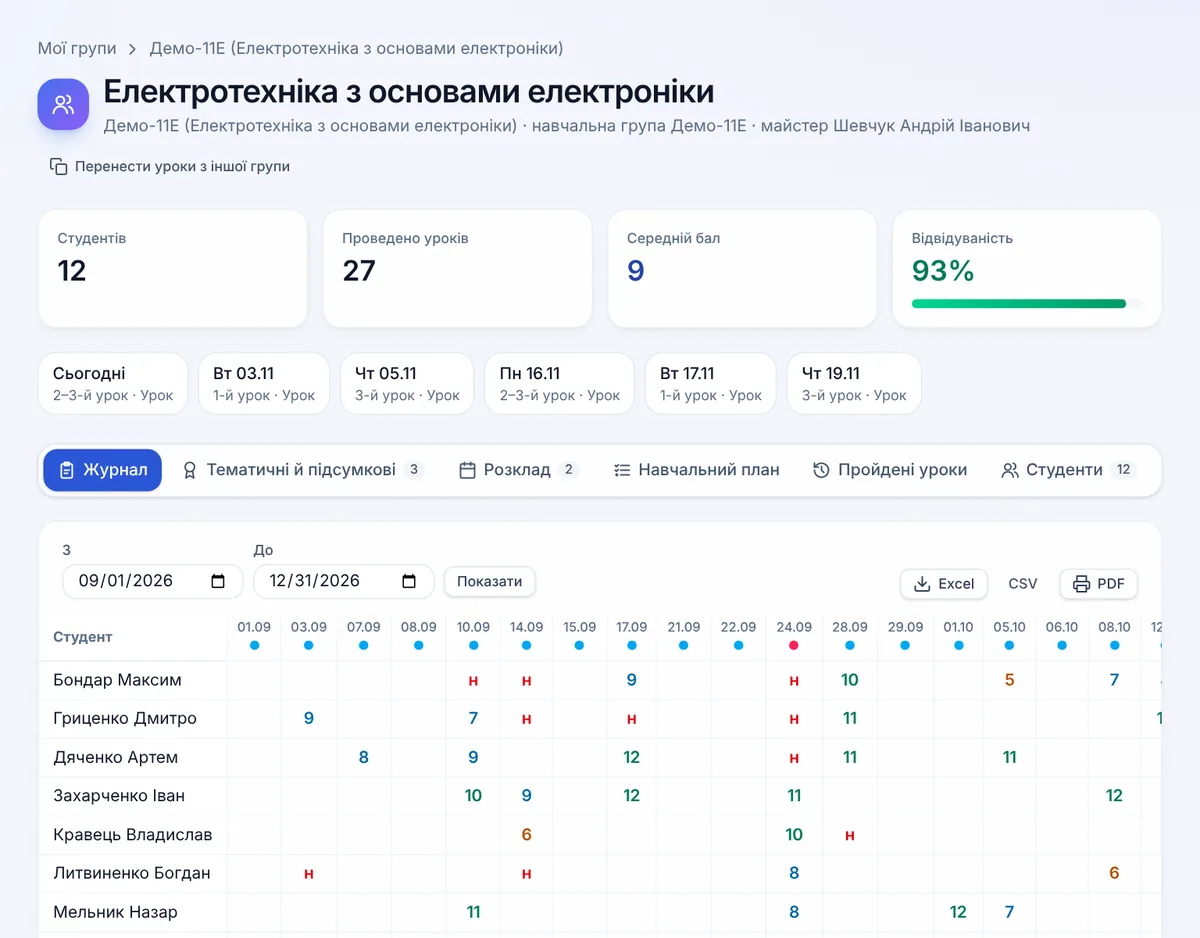
Grades, attendance and lesson topics in one group gradebook. Unit and semester grades with suggestions, custom weights for kinds of work, administration remarks and signing the gradebook with a qualified e-signature. Any gradebook exports to PDF or Excel.

Gradebook and grades

Timetable

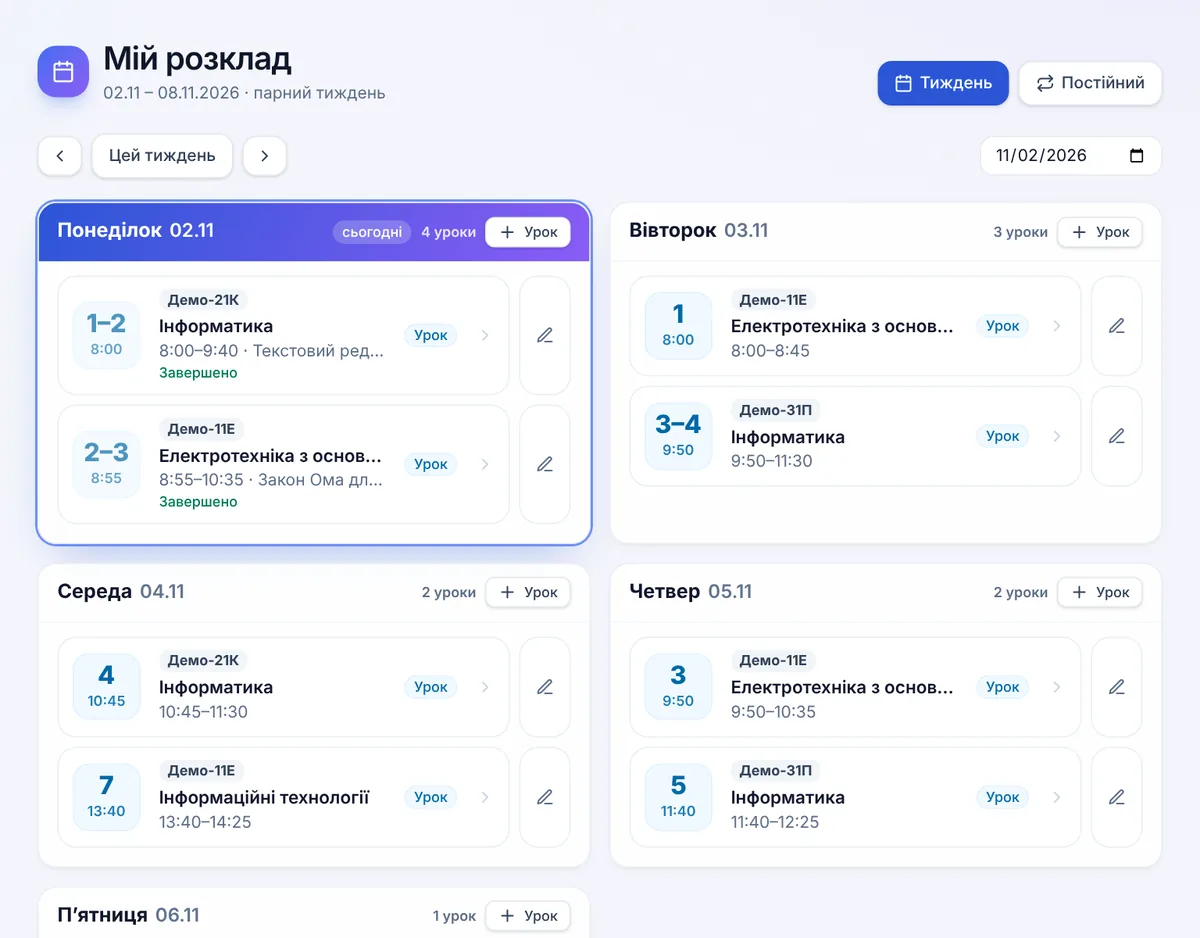
A permanent timetable for even and odd weeks or a timetable for each day. Theory, vocational training and work placement kept apart, plus subgroups, rooms and bells. Management can print the timetable to PDF and Excel.

Timetable

Lessons and online classes

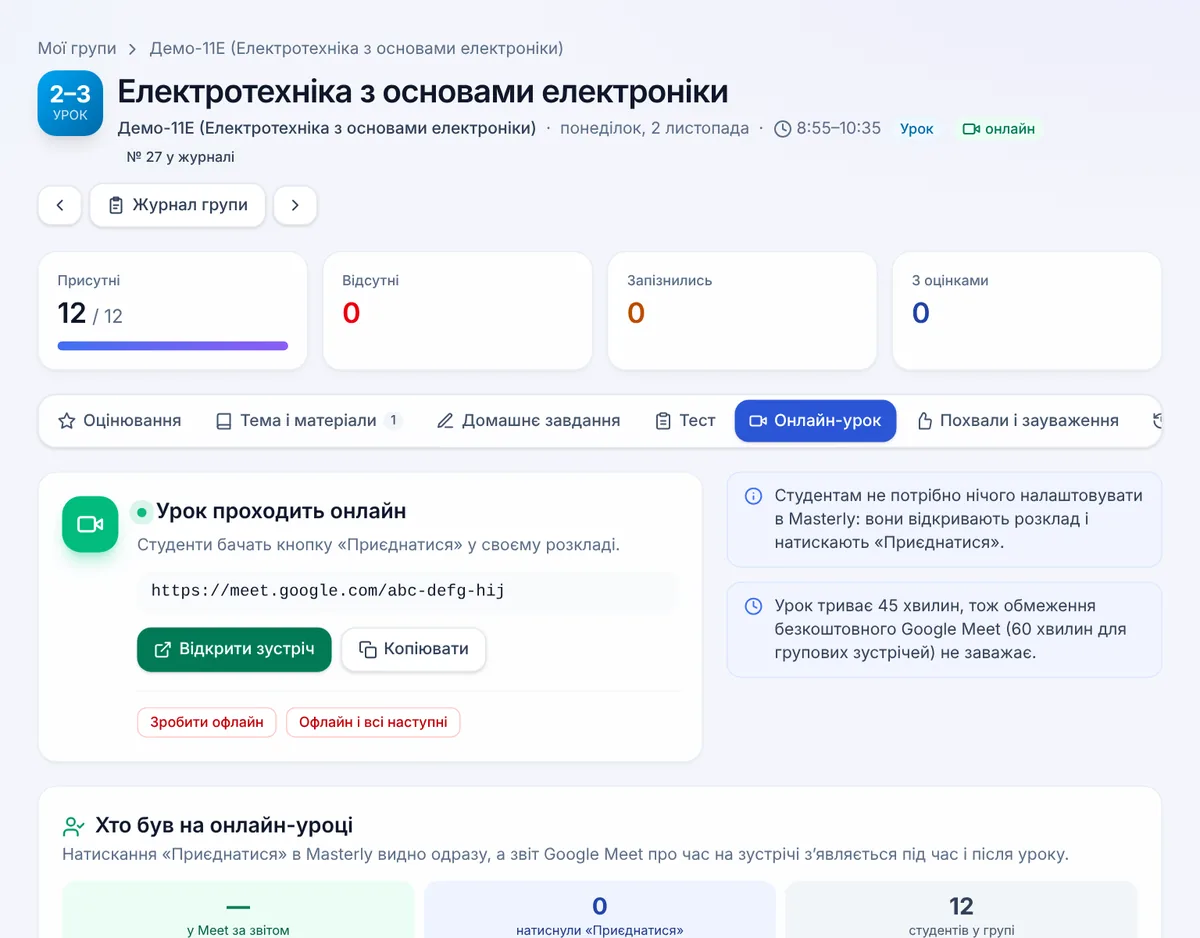
A teacher runs the lesson from the lesson page: topic, materials, homework and grades. For an online class, Google Meet is created with one button, and after the lesson the teacher sees who from the group joined and for how long.

Lessons and online classes

Tests

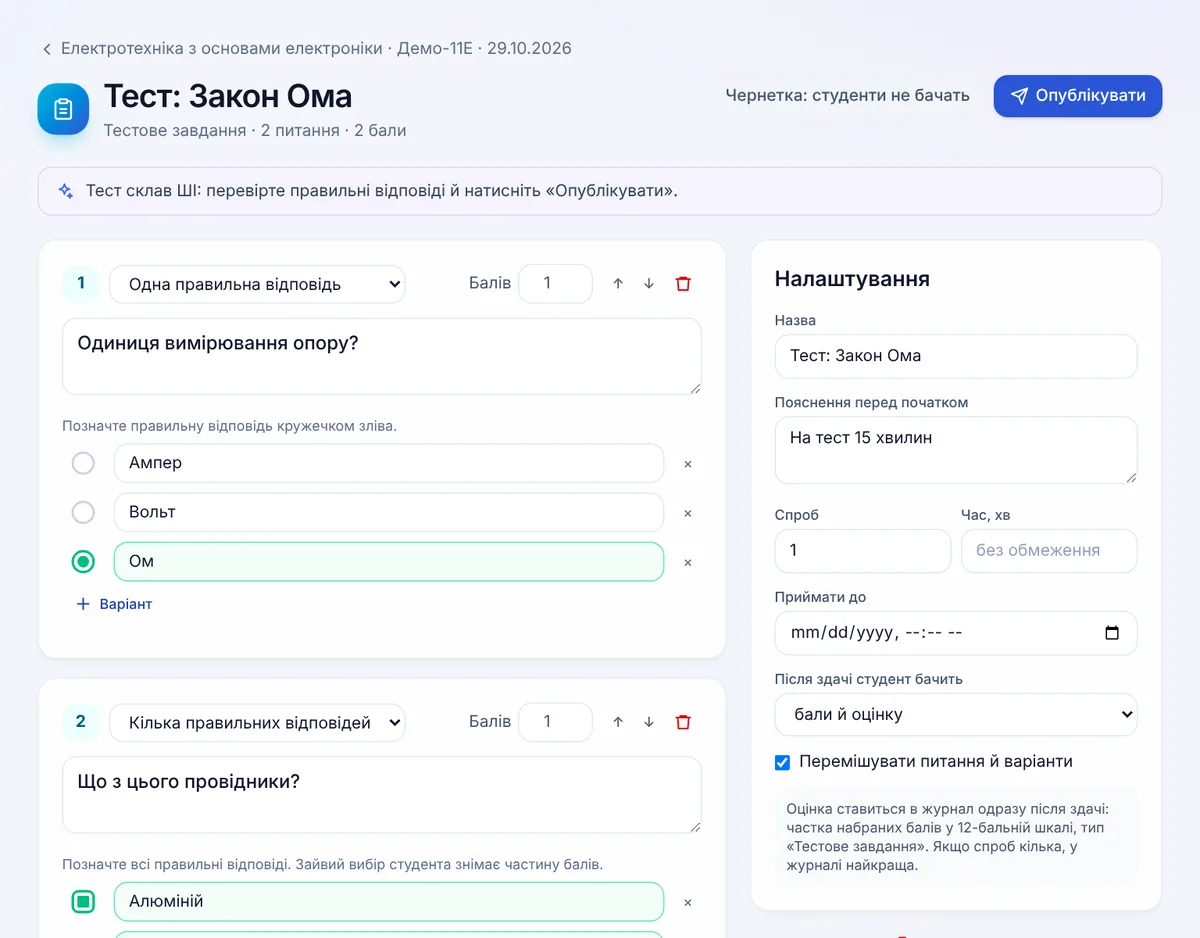
Built-in tests with the grade going straight into the gradebook. Use an existing Google Form or ask AI to draft a test from the lesson topic and materials. The teacher checks the questions and publishes with one click.

Tests

Students and parents

Students sign in from a phone with an 8-digit code, no email or password needed. They see the timetable, homework, grades, tests and messages from teachers. Parents get their own code and can only view their child's data.

Students and parents

And more

Vocational training and placements
Vocational training blocks, placement sites and tracking, and a training master for each group.
Vocational education standard 2027
Programmes in ECTS credits, a check of the practical share, electives and recognition of prior learning.
Curricula
Topics and hours from the curriculum and tracking of hours delivered. AI imports a curriculum from a document of any layout.
Reports
Quality and achievement, attendance, hours delivered, monthly, semester and annual reports in PDF and Excel.
Messages
Students and teachers write to each other inside the system, without messengers or personal phone numbers.
Safety briefings
A safety briefing mark on a practical lesson goes straight into the lesson topic in the gradebook.
Air raid alerts
An alert in the school's region shows up on teacher and student pages.
Homeroom sessions
One homeroom session per group, run by the training master or the class teacher.
Help for every role
Guides for administrators, teachers, students and parents as PDF and on the school site.

Connected schools

Each school has its own Masterly site. Students, parents and staff sign in there.

The data belongs to the school

The platform only processes it to run the system. A ready data processing agreement is available for every school.

Privacy policy
  • A separate database for each school

    Other schools have no access to your data, and school administrators have no access to the server.

  • Encryption

    HTTPS only. Passwords, access keys and daily backups are encrypted.

  • Daily backups

    Backups are checked by test restores, and a restore can be undone.

  • Google only if the teacher wants it

    Masterly only sees lesson events and files the teacher picked. Students and parents do not sign in to Google.

How to connect a school

  1. 1

    Write to us with the school name and a contact person.

  2. 2

    The school creates an address on its own domain, for example lms.school.ua, and adds the DNS record we send.

  3. 3

    We create the school's copy of Masterly and its first administrator. The HTTPS certificate is issued automatically.

  4. 4

    The administrator adds staff, groups and subjects and hands out codes to students and parents.